How Do I Register on Revenue myAccount in Ireland?
Moving to Ireland is an adventure, isn't it? Full of new experiences, friendly faces, and perhaps a bit of craic. But let's be honest, alongside the excitement, there's often a significant administrative hurdle, especially when it comes to taxes. Figuring out the Irish tax system, Revenue, and its online portals can feel like trying to solve a Rubik's cube with a blindfold on. This guide is here to demystify one of the most crucial first steps for any expat: registering for and using your Revenue myAccount. It's your personal portal to managing your taxes, claiming reliefs, and generally keeping Revenue happy, and trust me, you'll want to get acquainted with it sooner rather than later.
Understanding Your Revenue myAccount: Your Digital Tax Hub
Let’s cut to the chase: your Revenue myAccount is not just a 'nice to have'; it’s absolutely essential for anyone living and working in Ireland. Think of it as your personal online gateway to everything tax-related with the Irish tax authority, Revenue. Without it, you’ll find yourself in a world of unnecessary paperwork, potential emergency tax, and a lot of head-scratching.
Why Every Expat Needs a myAccount
When you first arrive, getting your Public Personal Service Number (PPSN) sorted is usually top of the list, right? Well, your myAccount is the next logical step. It's the primary way Revenue communicates with you and how you interact with them. For years, people relied on paper forms, P60s, and a lot of snail mail. Nowadays, almost everything is digital, streamlined (mostly!), and accessible through this one portal.
For employees, this is where you'll register your job details, claim your tax credits, and eventually access your Statement of Liability – which has replaced the old P60. It shows your income, tax paid, and any credits or reliefs you received for a given tax year. If you're self-employed, myAccount is indispensable for filing your annual tax returns, paying your preliminary tax, and managing your business’s tax affairs. Even if you're not working, but perhaps receiving social welfare benefits, myAccount allows you to keep track of your entitlements and any tax implications. It’s a vital tool for staying compliant and ensuring you’re not overpaying on your taxes.
Key Functions and Features
Once you're in, myAccount opens up a treasure trove of functions that will save you time and stress. You can view your tax records, update your personal details, and even tell Revenue about changes to your employment.
Here’s a quick rundown of what you’ll be doing with it:
- Registering Your Job: Crucial for ensuring you’re on the correct tax basis and not stuck on emergency tax.
- Claiming Tax Credits and Reliefs: From the ubiquitous Rent Tax Credit to medical expenses, this is where you apply for anything that reduces your taxable income. You can learn more about how to claim tax relief on medical expenses in Ireland to save some money.
- Reviewing Your Tax Position: Check your Statement of Liability (your P60 replacement) to see if you've underpaid or overpaid tax.
- Filing Income Tax Returns: For those of us who are self-employed or have other sources of income, this is the annual ritual.
- Secure Messaging: Need to ask Revenue a specific question about your tax? You can send them a secure message directly through myAccount, ensuring your personal details are protected.
- Accessing Your Tax History: All your past tax years, statements, and correspondence are neatly stored for you to review at any time.
It’s truly a central point. Without it, imagine having to call Revenue for every little query or filling out reams of paper forms. The convenience alone makes it worth the initial registration effort.
Step-by-Step Guide to Registering for myAccount
Alright, let's get down to the nitty-gritty. Registering for Revenue myAccount is straightforward in theory, but like many administrative tasks in a new country, it can feel a bit clunky. Don't worry, I've walked this path, and I'm here to guide you.
Prerequisites: What You'll Need
Before you even think about clicking that "Register" button, make sure you have these essentials in hand. Trying to register without them will just lead to frustration and a wasted afternoon.
- Your Personal Public Service Number (PPSN): This is absolutely non-negotiable. Your PPSN is your unique identifier for all social welfare and tax purposes in Ireland. If you don't have one yet, stop here and refer to our guide on How to Register for Tax and Get a PPS Number in Ireland. You simply cannot register for myAccount without it.
- An Irish Address: Revenue needs a physical address in Ireland to send you a temporary password. This is where many expats hit a snag, especially if they’ve just arrived and are in temporary accommodation. Make sure you have a stable address where you can reliably receive post.
- An Irish Mobile Number (Optional but Recommended): While not strictly mandatory for initial registration, having an Irish mobile number linked to your account is extremely helpful for security verification and receiving important alerts.
- An Active Email Address: For communications and setting up your account.
The Registration Process: A Detailed Walkthrough
The process differs slightly depending on whether you're employed (PAYE) or self-employed. Let's break it down.
For PAYE Employees (Most Expats Start Here)
If you've just landed a job and your employer is deducting tax from your wages, you're likely a PAYE employee. This is the most common scenario for new expats.
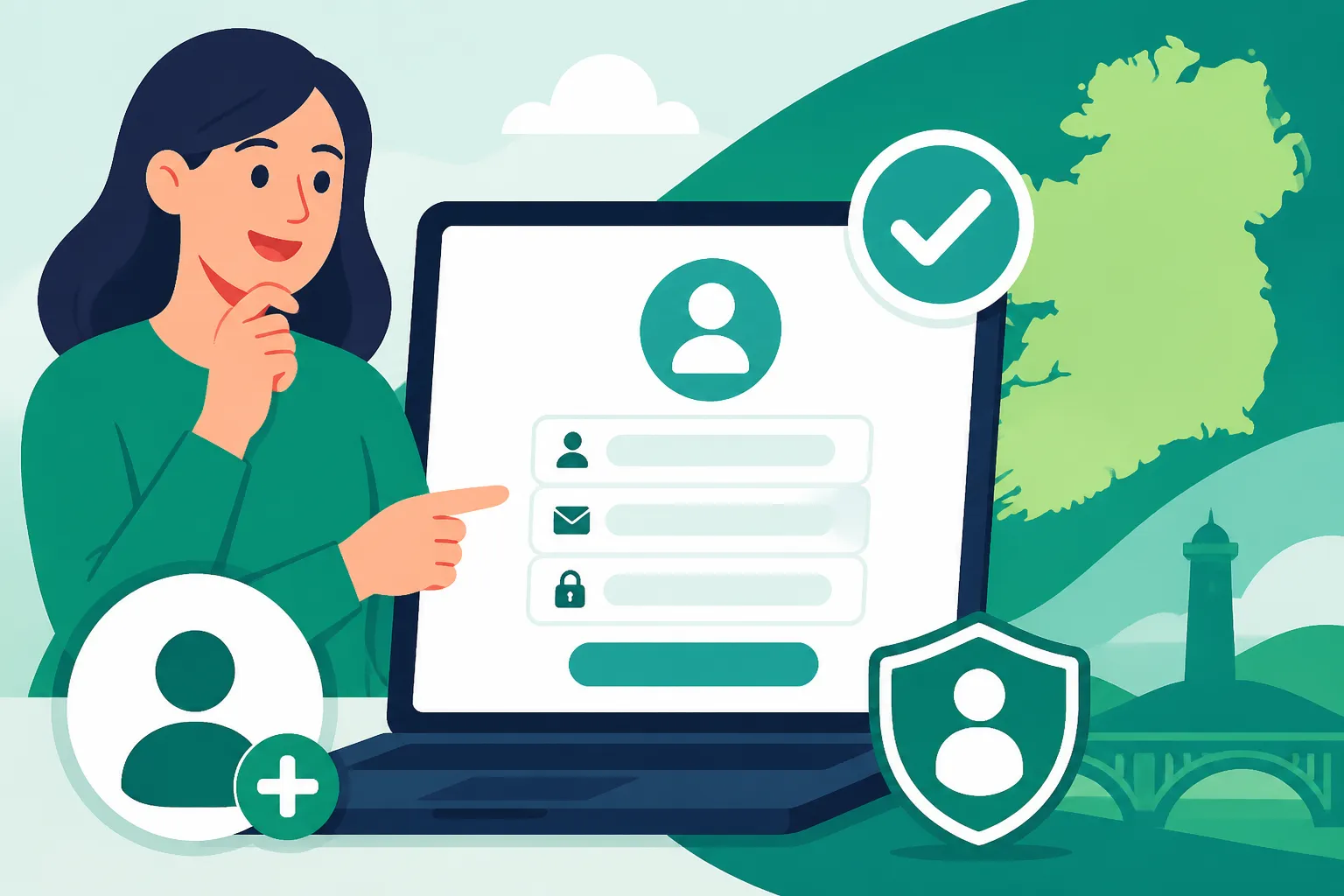
- Go to the Revenue Website: Navigate to Revenue's official website (www.revenue.ie). Look for the "myAccount" section.
- Click "Register": You'll see an option to register for myAccount. Click on this.
- Enter Your Personal Details: You'll be prompted to enter your PPSN, date of birth, and an Irish mobile number (if you have one).
- Provide Your Address: This is crucial. Ensure the address you provide is where you currently reside in Ireland and where you can receive mail. This is because Revenue will send your temporary password via post.
- Confirm Details and Submit: Double-check everything, then hit submit. You'll usually get an on-screen confirmation that your request for a temporary password has been sent.
Now, here comes the waiting game. Revenue will post a letter containing a temporary password to the address you provided. This can take anywhere from 3 to 7 working days, but sometimes longer depending on postal services and public holidays. This is a common point of frustration for expats, especially those eager to sort out their taxes and avoid emergency tax. Once that letter arrives, you're ready for the next step.
For Self-Employed Individuals or Those with Other Income
If you're planning to freelance, set up a business, or have income from sources other than a PAYE job, your registration path has a few extra steps. You'll need to register your self-employment income with Revenue after you get your myAccount setup. Check out our guide on How to Register as a Sole Trader with Revenue in Ireland for more details on that specific process.
- Follow Steps 1-5 above for myAccount registration: The initial myAccount setup is the same whether you're PAYE or self-employed. You still need your PPSN and an Irish address.
- Once You Receive Your Temporary Password: Log in as described below.
- Register as a "Self-Assessed" Taxpayer: Within myAccount, you’ll then navigate to the 'Manage Your Tax' section. Here, you'll find options to register for different tax heads. You’ll need to register for Income Tax (Self-Assessment). This tells Revenue that you'll be filing annual tax returns (Form 11).
- Provide Business Details (if applicable): You’ll enter details about your trade or profession, the date you started, and other relevant information.
The Final Login: Setting Up Your Permanent Access
Once that precious letter with your temporary password arrives:
- Return to the Revenue Website: Go back to www.revenue.ie and click on the "myAccount" login button.
- Enter Your PPSN and Temporary Password: Use the PPSN you registered with and the temporary password from the letter.
- Set Up Your Permanent Password: The system will immediately prompt you to change this temporary password to a permanent one of your choosing. Make it strong and memorable!
- Create Security Questions: You'll need to set up a few security questions and answers. These are vital for recovering your account if you forget your password.
- You're In! Congratulations, you've successfully registered for your Revenue myAccount. Take a moment to explore the dashboard.
| Step | PAYE Employee | Self-Employed Individual |
|---|---|---|
| Prerequisites | PPSN, Irish Address, Email, (Optional) Irish Mobile | PPSN, Irish Address, Email, (Optional) Irish Mobile |
| Initial Registration | Go to Revenue.ie -> myAccount -> Register. Enter PPSN, DOB, Address. | Go to Revenue.ie -> myAccount -> Register. Enter PPSN, DOB, Address. |
| Temporary Password | Await postcard by mail (3-7+ days) | Await postcard by mail (3-7+ days) |
| First Login | Use PPSN and temporary password. Set permanent password and security questions. | Use PPSN and temporary password. Set permanent password and security questions. |
| Post-Login Action | Register your employment details if not already done. Claim tax credits. | Crucially: Register for Income Tax (Self-Assessment) under 'Manage Your Tax' section. |
| Key Use | Claim tax credits, view Statement of Liability, manage PAYE details. | File Form 11, pay preliminary tax, manage business tax affairs. |
Common Issues and Troubleshooting for Expats
As an expat, you often face unique challenges when dealing with official systems, and Revenue myAccount is no exception. Based on my own experience and countless conversations with other foreigners here, these are some of the most frequent stumbling blocks.
The Elusive Temporary Password Postcard
This is, by far, the most common complaint. You’ve done all the steps, you’ve provided your address, and then… nothing. Days turn into a week, a week turns into two, and still no postcard. This delay can be incredibly frustrating, especially if you’re trying to sort out emergency tax or need to access important tax documents quickly.
What to do:
- Be Patient (Initially): Give it the full 7-10 working days. Irish postal services, while generally reliable, can sometimes take their sweet time.
- Check with Your Landlord/Housemates: Ensure no one accidentally discarded it or assumed it was junk mail.
- Contact Revenue: If it’s been more than 10 working days, don't suffer in silence. You'll need to contact Revenue directly. You can call their PAYE helpline (or relevant self-assessment line if applicable) or visit a local tax office. Explain you’re a new resident, you’ve applied, and the postcard hasn't arrived. They can verify your address and resend it. Make sure the address they have on file is exactly correct.
- Consider a Different Address: If you're in very temporary accommodation, or if your landlord doesn't consistently check the mail, you might need to use a more stable address for future correspondence, perhaps a trusted friend's address (with their permission, of course!).
Emergency Tax: The Unwelcome Surprise
Many new arrivals in Ireland get put on "emergency tax" when they start their first job. This means a much higher portion of your salary is deducted initially because Revenue doesn’t yet have your employment details fully registered. It’s a shocker to see your first payslip looking significantly lighter than expected!
How myAccount helps:
Once you have your myAccount up and running, you must register your employment details with Revenue.
- Log into myAccount.
- Go to 'Manage Your Tax' and select 'Add a new employment' or 'Update job details.'
- Provide your employer's tax registration number (which they should give you) and your start date.
This simple step allows Revenue to issue you with a Statement of Tax Credits and Standard Rate Cut-Off Point (also known as a Tax Credit Certificate or P2C). This certificate tells your employer how much tax-free income you’re entitled to and at what rate you should be taxed. Once your employer receives this, they will adjust your tax deductions, and you’ll start paying the correct amount. Any overpaid emergency tax will also be automatically refunded in your subsequent payslips. If you're keen to avoid this scenario, our guide to Understanding Emergency Tax and How to Avoid It in Ireland has more detailed advice.
Difficulty with Address Verification
For some, especially non-EU/EEA citizens, simply getting an address recognised by official bodies can be tricky if you don't have utility bills in your name right away. While myAccount registration doesn't always ask for proof of address upfront (they rely on the PPSN and subsequent mail), problems can arise if the address you provide doesn't match other records, or if the postcard is returned to sender.
Tips:
- Consistency is Key: Use the exact same address format you use for your bank account or any other official correspondence.
- Get a Utility Bill: As soon as possible, get a utility bill (electricity, gas, internet) in your name. This is a common requirement for many services in Ireland, including opening bank accounts. Our guide to How to Open a Bank Account at an Irish Bank as a Foreigner provides more insights on this.
- Proof of Tenancy: Your tenancy agreement can also serve as proof of address.
Technical Glitches and Browser Compatibility
While Revenue has made strides in modernising its online systems, it's not uncommon to encounter a few technical hiccups. From pages timing out to specific browsers not playing nice, it can be annoying.
Troubleshooting:
- Try a Different Browser: If you’re having issues, switch from Chrome to Firefox, Edge, or Safari. Sometimes, this simple change does the trick.
- Clear Cache and Cookies: This is a classic IT solution, but it often works.
- Check Internet Connection: Ensure your Wi-Fi is stable.
- Try Off-Peak Hours: Sometimes, heavy traffic can slow down government websites. Try early morning or late evening.
Remember, the vast majority of myAccount issues can be resolved with a bit of patience or a direct call to Revenue. They have dedicated helplines, and while wait times can vary, the staff are usually helpful once you get through.
Maximising Your myAccount Experience
Once you've successfully navigated the registration hurdles, your Revenue myAccount becomes an incredibly powerful tool. But it's not just about crisis management; it's about proactively managing your financial life in Ireland. Let's make sure you're getting the absolute most out of it.
Keeping Your Tax Credits Up-to-Date
This is probably one of the biggest benefits of myAccount. Ireland has a range of tax credits and reliefs that can significantly reduce your income tax bill. Many expats are simply unaware of what they're entitled to and, therefore, miss out on valuable savings.
Through myAccount, you can:
- Claim the Rent Tax Credit: If you’re renting privately and not receiving other housing support, this is a big one that many expats qualify for. You can easily claim it directly in myAccount.
- Update Your Marital Status: If you get married or enter a civil partnership, you can update this, which may change your tax credits.
- Claim Health Expenses: Out-of-pocket medical expenses, dental work, prescriptions (beyond the Drugs Payment Scheme threshold) can often be claimed for tax relief. Keep all your receipts! Our guide to Understanding the Drugs Payment Scheme (DPS) in Ireland can help you understand those limits.
- Claim Flat Rate Expenses: Certain professions are entitled to flat-rate expense allowances.
- Home Carer Tax Credit: If you're married or in a civil partnership and one spouse cares for a dependent, this could apply.
It's vital to regularly check the 'Manage Your Tax' section for the current year in your myAccount. Even small changes can affect your tax liability. You can also refer to Understanding Tax Credits and Reliefs Available in Ireland for a more comprehensive overview.
Filing Your Annual Income Tax Return
For PAYE employees, Revenue often does most of the heavy lifting. At the end of the tax year (which runs from January 1st to December 31st), you can request your Statement of Liability in myAccount. This statement summarises your income and tax deductions for the year. It's crucial to review this carefully, as it will tell you if you've underpaid or overpaid tax. If you've overpaid, Revenue will issue a refund directly to your bank account – delightful!
If you're self-employed, or have other income sources (like rental income, foreign income, or significant investment income), you must file an annual income tax return (Form 11). MyAccount is the portal for doing this. While it might seem daunting, Revenue has worked to make the online process as user-friendly as possible. It walks you through each section, prompting you for the relevant information. For more in-depth guidance, check out our article on How to File Your Income Tax Return (Form 11 or Form 12) in Ireland.
For those with complex tax situations, especially dual residency or significant foreign assets, services like Taxes for Expats can be invaluable. While myAccount handles your Irish tax affairs, navigating the complexities of international tax treaties and reporting obligations to multiple tax authorities often requires specialist advice. They can help ensure you're compliant in both Ireland and your home country.
Secure Communication and Records
Gone are the days of endless phone calls and waiting on hold. MyAccount's secure 'MyEnquiries' section allows you to send and receive messages with Revenue agents directly. This is fantastic because:
- It's Secure: Your personal tax information isn't floating around in standard email.
- It's Trackable: All correspondence is logged, giving you a clear record.
- It's Convenient: You can send a query at any time of day or night and await a response.
Make it a habit to use MyEnquiries for any specific questions you have about your tax affairs. It's also an excellent repository for all your tax documents, statements, and correspondence from Revenue, making it easy to access them whenever needed.
Paying and Receiving Refunds
MyAccount also facilitates payments and refunds. If you owe tax (for instance, if you're self-employed or underpaid as a PAYE worker), you can make payments directly through the portal using a debit/credit card or by setting up a direct debit.
Conversely, if Revenue owes you a refund (which often happens if you were on emergency tax or have unused credits), they will typically issue it directly to the bank account you've provided. If you're still managing finances internationally, consider using platforms like Wise for any international money transfers, whether it's receiving a refund from Revenue into an account in your home country or transferring funds to pay an unexpected tax bill. They offer competitive exchange rates and transparent fees, which can be a real saviour when dealing with cross-border finances.
By regularly logging into your myAccount, you're not just staying compliant; you're taking control of your financial wellbeing in Ireland. It empowers you to understand your tax position, ensure you're getting all the reliefs you're entitled to, and avoid any nasty surprises. It's truly one of the first, most important tools in an expat's financial toolkit here. For a broader view of the Irish tax landscape, consider our guide on The Complete Guide to Taxes in Ireland for Expats (2027).
Disclaimer
The information provided in this guide is for general informational purposes only and does not constitute professional tax, financial, or legal advice. While we strive to keep the information up-to-date and accurate, tax laws and regulations in Ireland can change frequently. Expats should consult with Revenue.ie directly or seek advice from a qualified Irish tax advisor for their specific circumstances.