How Do I Set Up Broadband in My Irish Home?
So, you’ve finally landed in Ireland, got your How Do I Get a PPS Number in Ireland? sorted, and found a place to call home. Fantastic! But now comes a truly modern-day challenge that can feel unexpectedly complex: getting your internet up and running. It’s not always as straightforward as you’d hope, and the sheer variety of providers, technologies, and jargon can leave you scratching your head. Don't worry, I've been there, staring at provider maps trying to figure out if my new postcode was in a "fibre zone." This guide is here to demystify the process of setting up broadband in your Irish home, helping you connect to the digital world without the drama.
Understanding Ireland’s Broadband Landscape
Before you can even think about picking a provider, it’s worth understanding a bit about how broadband works here in Ireland. The infrastructure varies wildly from one street to the next, let alone between urban and rural areas. What’s available to your neighbour might not be available to you, even if you’re only a few doors down. It’s a bit of a postcode lottery, to be honest, so your very first step is always checking what’s actually accessible at your specific address.
Types of Broadband Technology Available
Ireland offers a few different flavours of broadband, each with its own quirks, speeds, and reliability. Knowing the basics will help you understand the options presented by various providers.
First up, and increasingly common, is Fibre-to-the-Home (FTTH), often referred to by its service providers like SIRO or Eir Fibre. This is the gold standard, offering incredibly fast speeds, often symmetrical (same upload and download speeds), by running fibre optic cables directly into your house. If you can get this, grab it! It's fantastic for streaming, gaming, and remote work. Then there's Fibre-to-the-Cabinet (FTTC) or VDSL. This uses fibre to a local street cabinet and then traditional copper wires from the cabinet to your home. It's faster than old ADSL, but speeds can drop significantly the further you are from the cabinet. Most urban and suburban areas will have FTTC available as a minimum.
For those in more rural areas, or even some tricky urban spots, you might encounter Fixed Wireless Access (FWA), provided by companies like Imagine. This uses a receiver on your home that picks up signals from a nearby mast. Speeds can be good, but it's line-of-sight dependent and can be affected by weather. And, of course, there's Mobile Broadband, which uses the 4G or 5G mobile network, often via a dongle or a MiFi device. While not usually recommended as a primary home broadband solution due to potential data caps and network congestion, it can be a lifesaver as a temporary stop-gap, especially when you’ve just moved in and are waiting for your fixed-line installation. For instance, some expats find a local SIM or even an eSIM from a provider like Airalo useful for immediate connectivity while waiting for fibre installation, as the waiting times can sometimes be a bit of a shocker.
The Importance of Your Eircode
Your Eircode is absolutely crucial here. Unlike traditional postcodes, which can cover a wide area, an Eircode pinpoints your property to within a few metres. This precision is vital for broadband providers to accurately check what services are available at your exact address. Without it, you'll find yourself going in circles, as many online availability checkers and customer service representatives will demand it. If you’re renting, your landlord or letting agent should provide it. If you’ve just bought a place, it will be on your property documents. You can also look it up for free on the official Eircode Finder website. Trust me, have this ready before you make any calls or fill out any forms – it will save you a lot of hassle and repeat explanations.
Choosing Your Broadband Provider and Package
Once you understand the tech and have your Eircode in hand, it's time to weigh your options. This is where comparing providers and plans comes into play, balancing speed, cost, and contract length with your individual needs.
Major Providers and Their Offerings
Ireland has several main broadband players, each with its own strengths and coverage areas. The big names you'll come across are:
- Eir: Often the owner of the physical fibre lines in many areas, Eir offers both FTTH and FTTC services, as well as mobile and TV bundles. They have wide coverage but sometimes get a mixed bag of reviews for customer service.
- Virgin Media: Known for its own powerful cable network, primarily in urban areas, offering very fast speeds. They also bundle TV and phone services. Their network is separate from Eir/Open Eir/SIRO, so if one can't reach you, the other might.
- Sky: A popular choice for those wanting bundled TV packages, Sky often uses the Open Eir network for broadband. They offer competitive packages and often have good customer service.
- Vodafone: Similar to Sky, Vodafone leverages the Open Eir and SIRO networks to provide broadband. They are also big in mobile, so combining services can sometimes offer discounts.
- Three and Imagine: These are more common for mobile broadband and fixed wireless solutions, particularly in areas where fibre infrastructure is less developed.
When I first moved here, I spent ages on comparison sites, and honestly, the best approach is to go directly to the providers' websites and input your Eircode. This will give you the most accurate picture of what's truly available to you. Don't rely solely on general ads; specific availability trumps all.
Factors to Consider When Selecting a Plan
Choosing the right plan isn't just about the fastest speed; it's about matching the service to your lifestyle and budget. Here are the key things to think about:
- Speed Requirements: Are you a heavy streamer, gamer, or working from home with lots of video calls? Then you'll want at least 100-200 Mbps download speed, ideally more. If it's just basic browsing and email, 50 Mbps might suffice, but faster is always better if you can afford it. Remember to consider upload speed too, especially if you're frequently sending large files or doing video conferencing for work.
- Data Limits: While most home broadband plans in Ireland now offer unlimited data, it’s always worth double-checking. Some mobile broadband plans or older packages might still have caps, which can lead to nasty surprises if you exceed them.
- Contract Length: Most providers offer 12-month or 24-month contracts. Longer contracts often come with lower monthly fees or better introductory offers, but they tie you down. If you're unsure about your long-term plans in a property, a shorter contract might offer more flexibility, even if it costs a little more monthly.
- Bundled Services: Many providers will try to bundle broadband with TV, landline phone, or even mobile phone services. These bundles can sometimes offer savings, but make sure you actually need all the services. Don’t pay for a landline if you only use your mobile, or for a huge TV package if you just stream Netflix. Think about your actual usage patterns before committing to a bundle. You can always get a separate How to Set Up a Mobile Phone Plan in Ireland? if that suits you better.
Here's a quick comparison of typical broadband types and what they're generally best for:
| Broadband Type | Typical Download Speed | Best For | Pros | Cons |
|---|---|---|---|---|
| FTTH (e.g., SIRO, Eir Fibre) | 150 Mbps – 2 Gbps | Heavy users, multiple devices, 4K streaming, gaming, remote work | Very fast, reliable, future-proof | Not available everywhere |
| FTTC (e.g., Eir, Sky, Vodafone) | 50 Mbps – 100 Mbps | General household use, HD streaming, light gaming | Widely available, good balance of speed/cost | Speed can vary based on distance from cabinet |
| Fixed Wireless Access (FWA) | 30 Mbps – 150 Mbps | Rural areas, good alternative where fibre/cable is absent | Can be fast for rural, dedicated connection | Requires external aerial, line-of-sight |
| Mobile Broadband (4G/5G) | 20 Mbps – 300 Mbps | Temporary solution, light use, portability | Quick to set up, portable, flexible | Data caps, network congestion, not ideal for primary home use |
The Installation Process and What to Expect
You've done your research, chosen a provider, and signed up. Excellent! Now comes the waiting game, followed by the actual installation. This phase can be a mixed bag, but knowing what to anticipate will certainly ease the process.
Ordering and Waiting Times
Once you've placed your order, you'll usually receive a confirmation email with details about your installation date. This is where patience truly becomes a virtue. Installation times can vary significantly depending on the provider, the type of broadband you've chosen, and whether your property already has the necessary infrastructure. If your home has never had fibre before, for example, an engineer will need to run new cables, which can take longer and might require external work. Generally, you can expect anywhere from a few days to several weeks. If you're planning a move, it's wise to order your broadband well in advance, even before your actual moving date if possible. When organising your move with services like Sirelo, remember to add broadband installation to your checklist.
During this waiting period, if you absolutely need internet access, consider getting a temporary mobile broadband solution. As mentioned, an Airalo eSIM for your phone can give you instant mobile data, which you can then hotspot to your laptop or other devices. It's not ideal for heavy usage, but it's brilliant for staying connected, checking emails, and getting important tasks done while you wait for your main broadband.
Self-Installation vs. Engineer Visit
Depending on your chosen service and existing setup, you might have the option for self-installation or require an engineer visit.
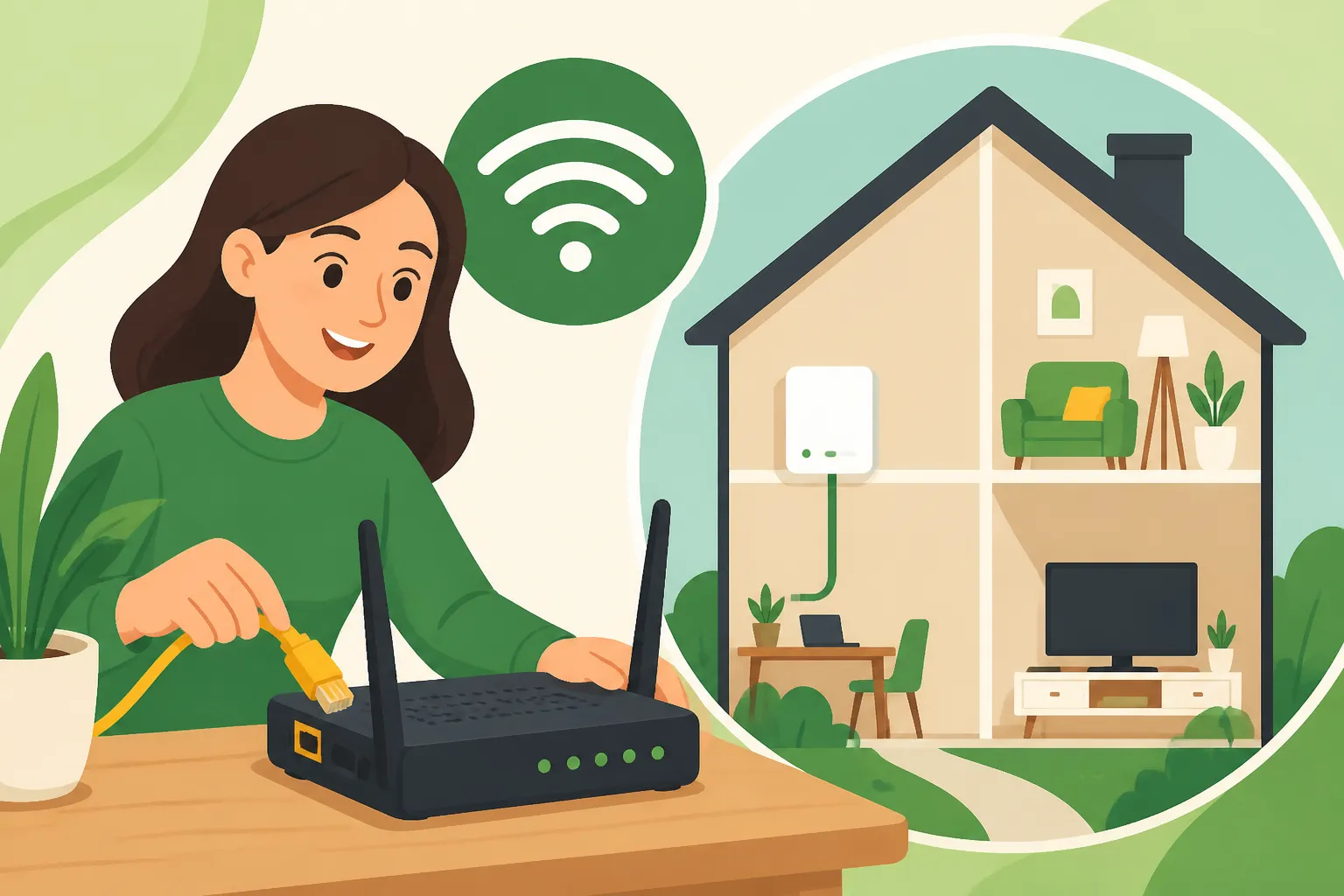
- Self-Installation: This is common if your property has previously had broadband from the same type of network (e.g., an existing phone line for FTTC or a Virgin Media cable connection). The provider sends you a router, and you follow simple instructions to plug it in and activate it. This is usually quicker and avoids needing to schedule a visit. However, if you hit a snag, you'll be on the phone to customer support.
- Engineer Visit: For new fibre installations (FTTH/SIRO) or if your property doesn't have the necessary wiring, an engineer visit is mandatory. They will run cables, install an internal optical network terminal (ONT) and router, and ensure everything is working. While it means waiting for an appointment, it ensures a professional setup. Make sure you're available during the scheduled window – they typically give a few hours, and missing it can mean another long wait for rebooking. Be prepared for a bit of drilling or cable routing if new lines are needed, so maybe clear some space around where you want the router.
I remember my first installation; the engineer was brilliant, but the drilling meant I had to move furniture and then clean up afterwards. Little things like that are easy to overlook when you're caught up in the excitement of getting online.
Activation and First Steps
Once the installation is complete (either by you or an engineer), your broadband should be active, or will be within a few hours. The router will usually have a sticker with the Wi-Fi network name (SSID) and password. Connect your devices, and test the speed using an online speed test tool. If speeds are significantly lower than advertised, try restarting the router. If the issue persists, contact your provider's technical support. It's not uncommon to have a few teething problems, especially with new setups, so don't be shy about calling them. It might be annoying, but you're paying for a service, and it should work as promised. This is also a good time to think about How to Set Up Streaming and the TV Licence in Ireland if you're bundling services.
Troubleshooting and Post-Setup Life
Alright, the internet is humming along, streaming your favourite shows, and keeping you connected. But what happens when things go wrong, or you need to manage your service?
Common Issues and Basic Troubleshooting
Even with the best setup, broadband can be temperamental. Before you call technical support, try these common fixes:
- Restart Your Router: The classic IT crowd solution. Unplug it for 30 seconds, then plug it back in. This often resolves minor glitches and re-establishes the connection.
- Check Cables: Ensure all cables (power, Ethernet, fibre optic) are securely plugged in, not only at the router but also at the wall socket.
- Check for Outages: Many providers have service status pages on their websites or social media (like X, formerly Twitter) where they announce local outages. This can save you a frustrating call if the problem is widespread.
- Test with a Wired Connection: If your Wi-Fi is flaky, try connecting a device directly to the router with an Ethernet cable. If the wired connection is fast and stable, the problem might be with your Wi-Fi signal (e.g., interference, router placement) rather than the broadband line itself.
- Router Placement: Your router should ideally be in a central location, off the floor, and away from thick walls or other electronics that can cause interference (like microwaves or cordless phones).
Sometimes, issues can be related to your general utility setup. It's always a good idea to ensure your How Do I Set Up Electricity After Moving to Ireland? and other services are running smoothly, as sometimes power fluctuations can impact connectivity.
Managing Your Account and Upgrading
Once your broadband is set up, you'll typically manage your account online through the provider's portal or app. This is where you can view bills, change details, or check your contract status. If you find your needs change – perhaps you're doing more remote work, or more people have moved into your house – you might want to upgrade your speed. Most providers make this relatively easy, though it might involve signing a new contract.
On the flip side, if you're planning to move house again within Ireland, remember to contact your broadband provider well in advance. They can usually arrange to transfer your service to your new address, though this might involve a new installation fee or a new contract if the technology differs. Some providers might have better transfer policies than others, so it's worth checking their terms. Moving is already stressful enough, so making sure your utilities are sorted can take a huge weight off your mind – it's just as important as knowing The Complete Guide to Moving to Ireland: Your First 90 Days (2027).
Remember, navigating the world of Irish broadband might seem daunting at first, but with a bit of research, patience, and knowing your Eircode, you'll be streaming and browsing in no time. Welcome to being connected in Ireland!
Disclaimer
The information provided in this guide is intended for general informational purposes only and does not constitute professional advice. While we strive to keep the information up-to-date and accurate, details regarding broadband providers, plans, pricing, and availability in Ireland can change rapidly. Always verify specific information directly with service providers and consult official government resources for the most current regulations. We recommend consulting a professional for personalised advice regarding your specific circumstances.